
Introduction
GAI Teammate Software is an SIT-funded project developed with IT department lecturers and the SIT Teaching and Learning Academy (STLA).
The project addresses students’ over-reliance on generative AI tools such as ChatGPT and Gemini by reframing AI as a teaching-aligned learning aid built on lecture content, while supporting team organisation and collaboration in group work.
My Role
User Experience Designer
User Experience Researcher
Led UX decisions, defining user flows and translating stakeholder requirements into development-ready features.
Impact
The project gained strong stakeholder buy-in from IT professors and STLA, progressing into a pilot phase. The UX designs were handed off to the development team, enabling implementation and further evaluation in a real learning environment.
Client Interest
Group-based projects are a core part of SIT’s curriculum, and at the same time, there is growing concern around students’ over-reliance on generative AI when learning fundamental concepts. In response, the Singapore Institute of Technology set out to create an AI product that supports learning through guidance and teaching, while also helping students collaborate more effectively in group-based projects.
CLIENT PAIN POINTS
Dependency
Students rely on generative AI tools to produce direct answers, limiting deeper understanding of course material and reducing meaningful learning.


Coordination
Students face challenges managing group work, including task delegation, accountability, and peer evaluation, leading to uneven participation and misaligned expectations.
DESIGN CHALLENGE
The challenge was translating multiple stakeholder ideas into a clear UX direction, while validating features for usability and implementation feasibility.
Key Findings
Existing research covered AI dependency but not group coordination. I proposed a student survey to identify these gaps, receiving 50 participants

Communication exists, but understanding does not
90.5% use WhatsApp/Telegram
85.7% meet in person
Despite this, 81% cite misunderstandings or unclear communication as the biggest barrier
71.4% report lack of responsiveness
High communication volume ≠ effective communication.

Decision-making and ownership are inconsistent
19% say there is no clear decision-making process
33.3% report decisions being dominated by one person’s opinion
Open-ended responses repeatedly mention:
-
“No one takes initiative”
-
“Different goals”
-
“Not on the same page”
-
“People ghosting”

Unequal contribution leads to team conflict
71.4% feel frustrated by unequal contribution often or sometimes.
Open-ended responses consistently cite:
-
Poor time management
-
Conflicting personal commitments
-
Skill gaps
-
Silent or non-responsive members
So What?
Using insights from the survey, I was able to prioritise which of the client’s proposed features addressed real student pain points. This helped clarify why certain features were necessary and allowed the scope to be streamlined to what mattered most for the first phase of the pilot application.
Persona

Aiman, 21 years old
ABOUT
A full-time university student who frequently works on group projects across different modules.
Communicates actively with teammates but often struggles to keep everyone aligned as projects progress.
GOALS & NEEDS
-
Complete group assignments efficiently and on time
-
Ensure work is distributed fairly among team members
-
Stay aligned on project goals, tasks, and expectations
TOOLS


PAIN POINTS
-
Unclear goals and deliverables within group projects
-
Unequal contribution and lack of accountability among teammates
-
Misunderstandings despite frequent communication

Sally, 23 years old
ABOUT
A university student balancing multiple modules and external commitments. Participates in group projects but often struggles to stay consistently engaged throughout the project timeline.
GOALS & NEEDS
-
Receive clear instructions on what needs to be done and by when
-
Avoid conflict within the group
-
Pass group assignments without excessive stress
PAIN POINTS
-
Difficulty keeping up with group discussions and messages
-
Unclear expectations around roles and responsibilities
-
Feels pressured when deadlines approach and workload spikes
TOOLS
AN OPPORTUNITY
How might we design a group-based AI interface that supports collaboration and learning while helping students stay aligned, accountable, and not overwhelmed during group projects?
Design Focus
As feature ideas expanded across AI learning support and group organisation, a key design question emerged:
How might a single interface support multiple group-based features while keeping its purpose clear?
Through synthesis, a common thread became clear: Chats
Discord

Microsoft Teams

Telegram

Student needs and client requirements consistently pointed to group conversations, leading to a chat-first design where all supporting features extend from this central space.
Feature Blockframing Iterations


Rapid Prototyping
As there is limited precedent for this type of software, rapid mid- to low-fidelity prototyping was used to explore interface structure and validate usability early.
Iteration 1

Early low-fidelity layout of core features.
Stakeholders' Feedback: indicated that the design felt generic and should better appeal to students.
Iteration 2

Early mid-fidelity layout of core features.
Stakeholders' Feedback: appreciation for the soft, curved visual style, but suggests AI chat to appear in the group chats
A/B Testing
Iteration 3

Mid-fidelity layout of core features.
Stakeholders' Feedback: strong visual direction, but suggested deeper integration of the AI chat within the group chat.
Iteration 4

Mid-fidelity layout of core features.
Stakeholders' Feedback: Feedback indicated appreciation for the overall design and visual direction, with approval to proceed to high-fidelity.
Although the client initially preferred Interface A, user testing surfaced usability issues with the flow. Drawing from familiar tools like Telegram and Discord. I designed Interface B was designed to prioritise a chat-first experience and improve usability.
Interface A

Interface B

I conducted A/B testing with six students, where 5 out of 6 participants preferred Interface B due to clearer information hierarchy, better use of space, and familiarity with existing group communication tools, such as Discord and Telegram.
These findings were shared with the client, who then agreed to proceed with Interface B for further development.
Introducing SIT AITeammate
AITeammate is a tool for Singapore Institute of Technology students that supports studying and group management. It promotes fair teamwork while using AI to guide learning based on professor teaching materials, rather than providing direct answers.

Learning Space
A shared AI space for group members to learn and review topics related to their project
Team Management
A central space for students to manage team tools without needing to switch between apps.

AI Assistance
Supports meeting scheduling, report viewing, document analysis, and task tracking through prompts
Use Cases
Overview

Tracks student groups by module, year, and trimester
AI-Generated Team Contribution Summary

AI-generated summaries show team contributions directly in group chat.
AI-Guided Learning Support in Group Chat

Provides learning guidance and resources directly in the group chat.
AI Programming Support in Group Chat

Offers programming guidance directly in the group chat.
Document

Organises documents shared in group chat, minimising the need to switch between apps
Resources

A simple resource space where students can upload files, add links, or submit big text for AI analysis
Reports

Highlights participation to support fair contribution and decision-making.
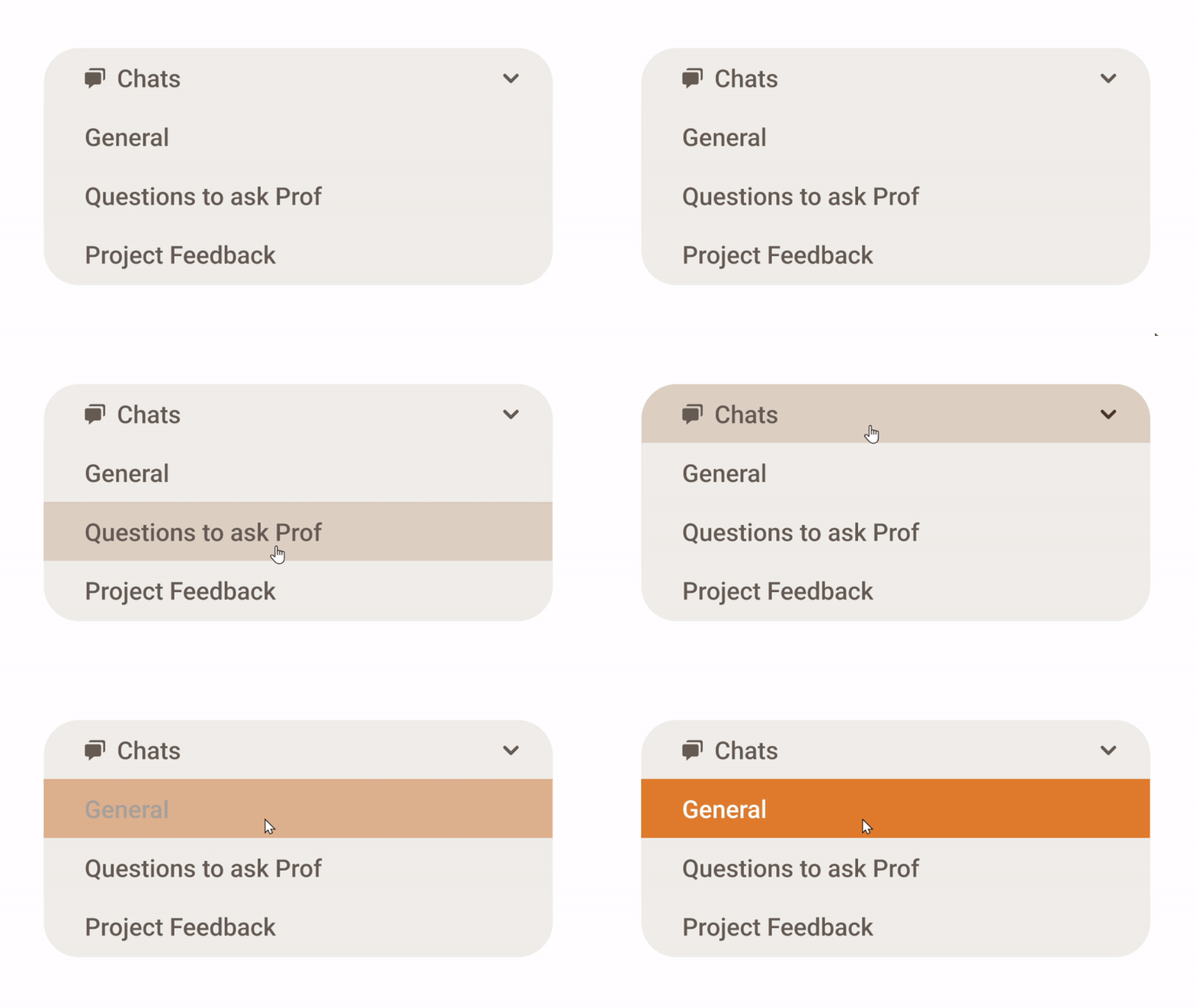
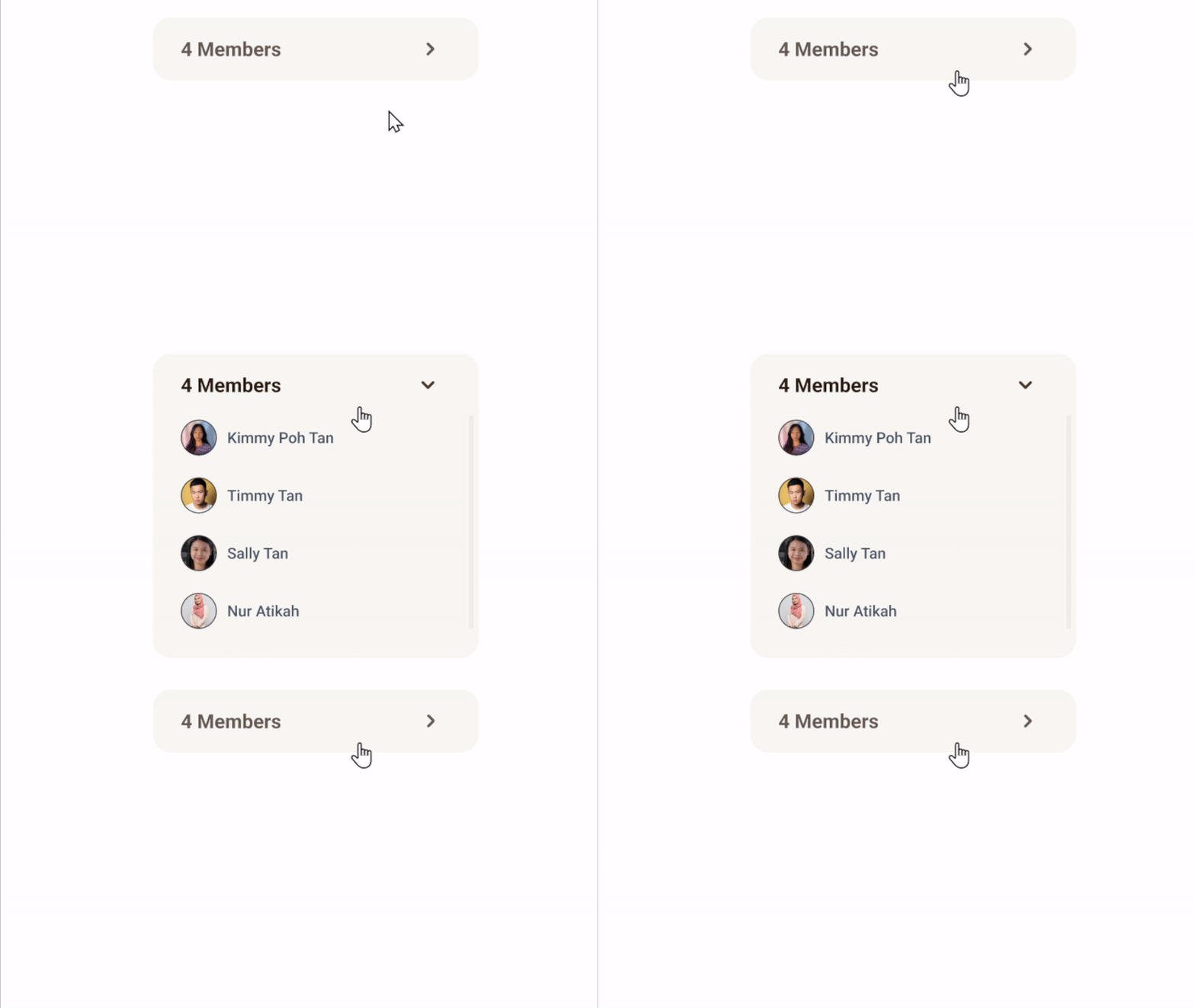
Interactions States
Hover to Selected
Drop Down
Feedback from Collaborators
I’m grateful for the opportunity to work with programmers, professors, and experts on AITeammate. The project showed strong potential to improve how students learn and use AI, and with more time, I would focus on full user-flow testing and contextual inquiry to further refine the experience.
Oran Zane Devilly
Deputy Director / Research Lead STLA
" Nasha played a central role in facilitating user testing sessions using proper UX research methodologies, including planning test goals, conducting usability tasks, and collecting behavioural feedback.
Her structured approach ensured that each testing round provided actionable insights that directly informed design improvements. "
Nisha.Jain
Assistant Professor Info Comm Cluster
" For the GAI Teammate project, she took ownership of designing and testing the full UX flow and UI components. She also ran surveys with SIT students and used the results to refine the design. Despite juggling school and time zone differences during her overseas immersion, she stayed engaged and communicated well with the stakeholders during weekly meetings. "